BISP Wazifa Using a Digital Wallet
The Benazir Income Support Program (BISP) has introduced digital payment methods to make it easier and safer for beneficiaries to receive their money. With digital wallets, there’s no need to stand in long lines at payment centers.
Now, you can access your BISP Wazifa directly through your mobile phone using mobile banking services.
What Is a Digital Wallet in BISP?
A digital wallet is a mobile-based account linked to your CNIC and registered SIM card. It allows you to receive and manage your payments directly on your phone.
Key Features:
- Linked with your CNIC
- Connected to your registered mobile number
- Used by banks and telecom companies for direct transfers
BISP partners with various banks and telecom providers in Pakistan to send payments securely to these wallets.

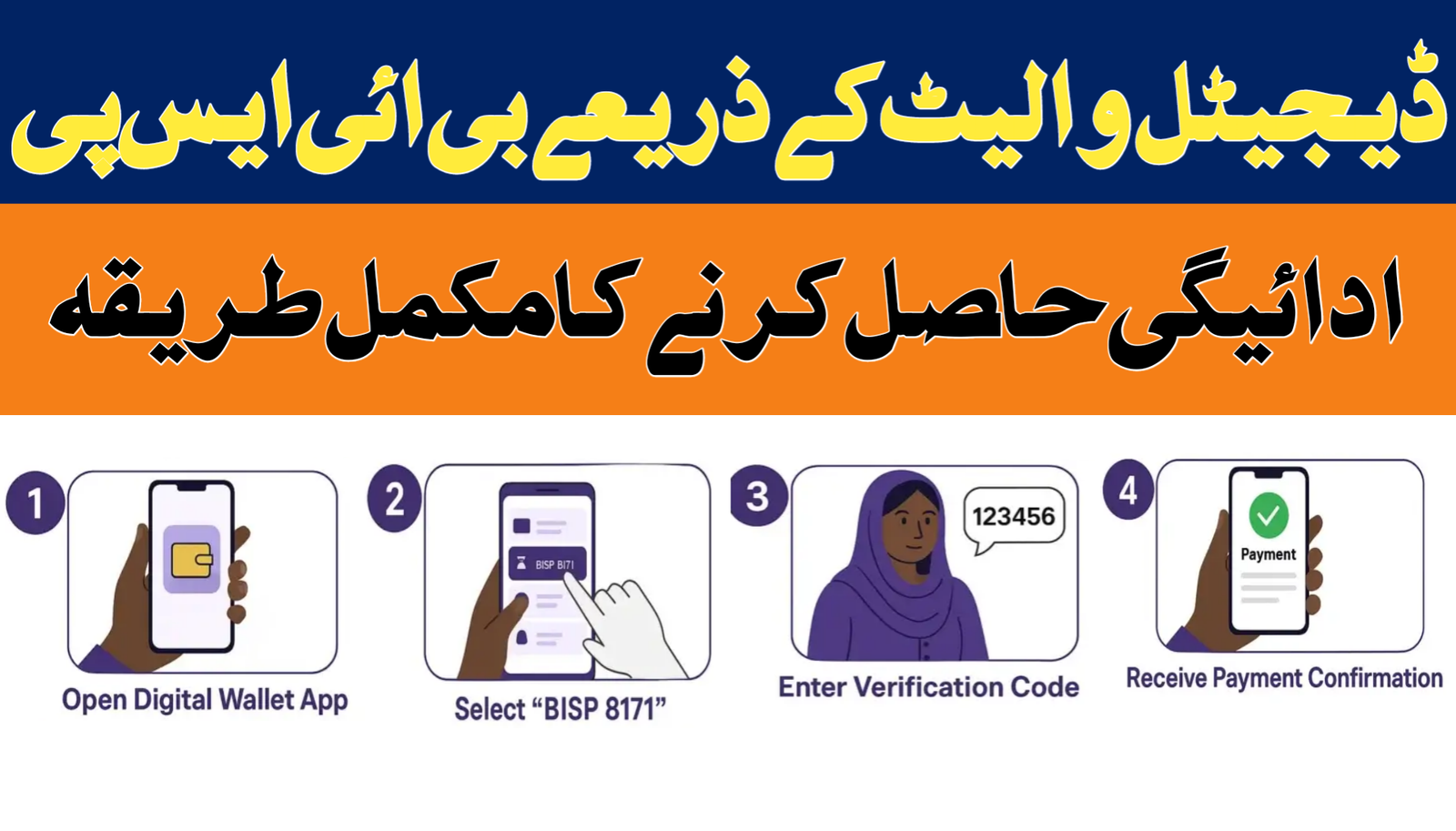
Steps to Withdraw BISP Wazifa Using a Digital Wallet
Follow these simple steps to access your funds:
1. Check Your Eligibility
Before withdrawing money, confirm that your payment has been released.
How to Check:
- Send your CNIC number to 8171
- Or visit the official BISP web portal
Result:
You’ll receive confirmation of your payment status.
2. Access Your Digital Wallet
Once your payment is transferred:
Steps:
- Open your mobile wallet app
- Log in using your PIN
- Check your available balance
3. Withdraw Your Money
You can withdraw your funds using different methods:
Options:
- Visit a nearby wallet agent shop
- Use an ATM (if supported)
- Request a cash-out service
4. Complete Verification
For security, you may need to verify your identity.
Required Verification:
- Biometric verification (thumbprint)
- CNIC confirmation
- Registered mobile number
Result:
After verification, you’ll receive your cash immediately.
Quick Overview Table
| Step | Requirement | Result |
| Check Eligibility | CNIC (8171/portal) | Payment confirmation |
| Access Wallet | Mobile + PIN | View balance |
| Withdraw Cash | ATM/Agent | Receive money |
| Verification | Biometric + CNIC | Secure transaction completion |
Benefits of Using a Digital Wallet
- No need to visit crowded payment centers
- Faster and more secure transactions
- Easy balance checking anytime
- Reduced chances of fraud
Important Guidelines
- Never share your PIN with anyone
- Always use your registered SIM and wallet
- Do not share OTPs or personal details
- Contact the official BISP helpline for any issues
Frequently Asked Questions (BISP Wazifa Using a Digital Wallet)
Q1: Which digital wallets can be used for BISP payments?
BISP works with multiple banks and telecom companies that offer secure digital wallet services.
Q2: Can I withdraw money without biometric verification?
In most cases, biometric verification is required for security purposes.
Q3: What if my wallet is not active?
You may need to visit the nearest agent or service center to activate it.
Q4: Is there any fee for withdrawal?
BISP withdrawals are usually free, but some providers may charge a small service fee.
Conclusion
Digital wallets have made withdrawing BISP Wazifa much easier, faster, and safer. Beneficiaries can now access their funds without long waits or unnecessary hassle.
To avoid any issues, make sure your wallet is properly registered and linked with your CNIC, and always follow security guidelines for safe transactions.